
SMART 2.0 — Sales
sales/default.aspx is the Sales Home dashboard: tasks, prospect ranks, traffic metrics, and links to reports. Contract work usually happens under shared/ — see Sales & contracts.
Who uses this
Section titled “Who uses this”Sales agents, sales managers, division sales admins, and marketing users who track traffic and prospects.
Key screens
Section titled “Key screens”| Page | Purpose |
|---|---|
| Sales Home | KPI week, tasks, prospect cards, traffic |
| Traffic search | Traffic lookup |
| Sales notes search | Sales notes search |
| Send email | Email utilities (division-configured) |
See the full screen reference for screenshots and step-by-step detail on each page.
Sales Home (typical use)
Section titled “Sales Home (typical use)”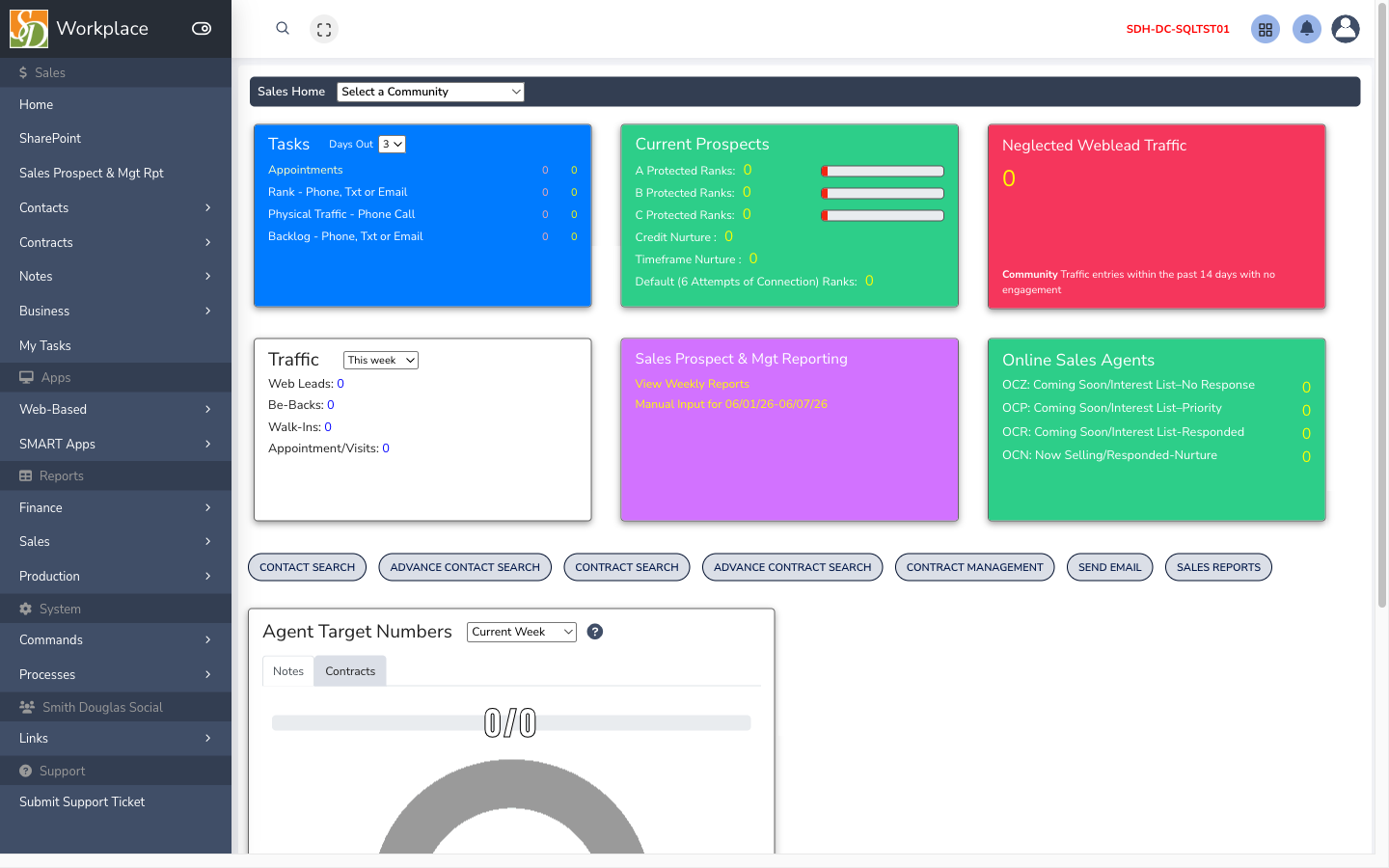
- Open Sales Home after login.
- Review tasks assigned to you (follow-ups, appointments).
- Check prospect ranks and community breakdown for your areas.
- Review traffic KPIs for the current week (dates roll on server clock).
- Jump to reports on the hub card or Web reports.
- Open Contacts or Contracts from menu /
shared/when working a buyer.
Web vs desktop
Section titled “Web vs desktop”| Task | SMART 2.0 web | SMART 1.0 Sales |
|---|---|---|
| Dashboards & traffic | Yes | Some divisions |
| Build / ratify contract | Often shared/ | Often desktop |
| Selections / design center | Limited | Full |
| Commissions | Rarely | Yes |
Concepts
Section titled “Concepts”Troubleshooting
Section titled “Troubleshooting”| Issue | Check |
|---|---|
| KPI dates look wrong | Week boundary logic on Sales Home; refresh |
| No communities | User community assignments in admin |
| Reports empty | Report permission vs web app permission |
Related
Section titled “Related”API: sales.asmx — tasks, prospects, traffic, agents; traffic-reports.asmx, traffic-reports2.asmx for report datasets.
Guard: Page_PreLoad requires WEB_APPS_MENU contains "Sales".